Free Fire Advance Server Activation Code 2026
If you play Free Fire, chances are you have heard players talk about getting early access to new characters, weapons, and maps before anyone else sees them. That early access comes through the Free Fire Advance Server, and the only way in is a Free Fire Advance Server activation code. This guide walks you through what the code is, how to get one, how to use it safely, and what actually happens once you are inside the test build. Every step below reflects the current registration process on Garena’s official portal, so you can follow along without guessing.
What is Free Fire Advance Server Activation Code?
It’s an access key for a restricted test build, not the same as a reward redemption code. It should only ever come from Garena’s official selection process.
- Getting a code: Register through Garena, use your linked account, and check the portal after selection closes. No generator or public list can create legitimate access.
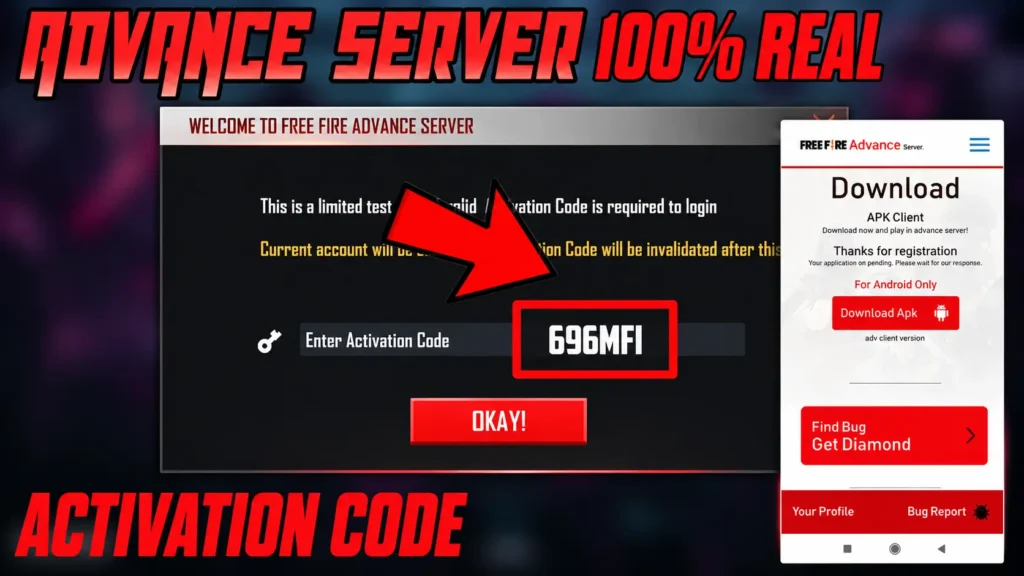
- Using a code: Open the current test app, sign in with the registered account, enter the code exactly as shown, and submit it while the server is active. Keep it private, never post it in comments, videos, or chat groups.
- Joining without an invitation: There’s no approved bypass. A modified client cannot create server permission, and Garena states that modified clients and unauthorized programs can lead to permanent account suspension.
- Invalid code causes: the server may be closed, the code may belong to a different cycle, the wrong account may be signed in, or the code was entered incorrectly. Check the portal and confirm you’re using the account that submitted the registration.
Why the Activation Code Matters
A Free Fire Advance Server activation code is your ticket into the test build. Without it, the app will not let you past the login screen, no matter how many times you try.
Garena limits the number of active testers for a simple reason: too many players at once would make the server unstable and the feedback impossible to manage. Each code is generated for one specific account and tied to the email or phone number used during registration. It cannot be transferred, sold, or reused once it expires. Enter it correctly and you unlock the full test build. Miss this step and you stay on the outside looking in.
Activation Code vs Redemption Code
- An Advance Server activation code opens the test client for an approved tester. A redemption code is used through Garena’s rewards redemption system to claim eligible game items.
- They are not interchangeable.
- Entering a reward code in the Advance Server will not approve your account. Entering a test access code on the rewards site will not produce an item.
- Garena explains that its redemption codes normally contain capital letters and numbers and must be used before their stated expiration. Those rules refer to reward redemption codes, not Advance Server approval.
- Some players search for a free fire advance server registration code. In practice, registration is the application step. The access key is normally called an activation code.
How to Register for the Advance Server
Registration is simple, but the window to sign up is short, sometimes just a day or two. Here is the process step by step:
- Open your browser and go to the official Garena Advance Server site at ff-advance.ff.garena.com.
- Log in using the Facebook or Google account linked to your main Free Fire profile.
- Fill in the requested details, including your active Free Fire user ID and a valid email address.
- Submit the form. In most recent cycles, no extra paperwork is needed after this step.
- Wait for Garena’s review. If chosen, your Free Fire Advanced Server activation code arrives by email, or it appears directly on your registration dashboard.
Only use the official domain above. Third party sites that promise instant codes are one of the biggest sources of scams in the Free Fire community, and we cover how to spot them later in this guide.
Who Gets Selected?
Garena has never published the exact formula it uses to choose testers, but years of player reports point to a few consistent patterns:
- Accounts with regular, active play history tend to get picked more often than accounts that log in rarely.
- Players who submitted clear, useful bug reports in past cycles are often prioritized for future ones.
- Garena sometimes focuses a testing cycle on specific regions to check how an update performs on local networks and devices.
- Content creators and streamers occasionally receive early invitations, since their coverage helps spread awareness of the update.
If you play consistently and take part in community events or past bug testing, your odds of landing a Free Fire activation code improve over time. There is no guaranteed formula, and registering does not promise a spot.
How to Download and Install the Advance Server App
Once you have a code, the next step is getting the app itself. The Advance Server runs as its own APK file, separate from the regular Free Fire app you already have installed. It is not available on the Google Play Store, so you download it directly from the official Free Fire Advance Server website after your registration is approved. Before installing, check that your device meets the basic requirements: an Android phone running Android 6.0 or newer, at least 3 GB of free storage, and a stable Wi-Fi connection, since the test build includes unreleased content and downloads more slowly than the regular game.
Steps to install
- Download the APK from the official Garena Advance Server page only. ff-advance.ff.garena.com.
- Open your device settings and enable “install from unknown sources” for your browser or file manager.
- Locate the downloaded file and tap it to begin installation.
- Open the app once installation finishes.
The Advance Server is Android only. There is currently no iOS version, so iPhone users cannot take part in testing cycles.
How to Use the Free Fire Advance Server Activation Code
When you first open the app, you will be asked to log in with your Free Fire account details. After that, a separate field appears asking for your activation code.
Type or paste your FF Advance Server activation code exactly as it was sent to you. Codes are case sensitive, so a single wrong character will cause a login error. Copying and pasting directly from the email is safer than typing it out by hand. Once the code is accepted, the app will begin downloading the test build, which can take a while given the size of the new content included.
Bug Reports and Diamond Rewards
One of the biggest perks of testing is the built in bug reporting tool. When you spot something broken, you report it directly through the app. If Garena confirms the bug as valid, you earn diamonds as a reward, credited straight to your main Free Fire account rather than your test account.
The reward scales with severity. A small visual glitch, like a texture that loads incorrectly, earns fewer diamonds than a major issue, such as a crash that ends a match early or an ability that does not work at all. Clear, detailed reports with screenshots or short video clips tend to get approved faster and can improve your chances of being selected for future test cycles.
Common Problems With Activation Codes
A few issues come up again and again among testers:
- Typing errors. Since codes are case sensitive, always copy and paste rather than typing manually.
- Expired codes. Codes have a limited window before they stop working. Use yours as soon as possible after receiving it.
- Codes shared on social media. Codes posted publicly on TikTok, YouTube, or Facebook groups are almost always fake, already used, or tied to someone else’s account. They will not work for you.
- Wrong download source. Installing the APK from an unofficial mirror can lead to a corrupted file that will not accept a valid code at all.
If your registration was not selected, you will simply not receive an email or dashboard code. That is the most common reason players think their code “isn’t working,” when in fact no code was ever issued.
Advance Server vs. Regular Game
|
Feature |
Advance Server |
Regular Free Fire |
|
Access |
Requires activation code |
Open to everyone |
|
Platform |
Android only |
Android and iOS |
|
Content |
Unreleased, in testing |
Fully released |
|
Progress saved |
Wiped after each cycle |
Permanent |
|
Rewards |
Diamonds for valid bug reports |
Normal in game rewards |
|
Availability |
Open a few weeks per OB cycle |
Available year round |
Tips for Maximizing Your Advance Server Experience
If you land a spot, get the most out of it:
- Try every new character and weapon in different modes rather than sticking to one playstyle.
- Play enough matches to form a real opinion on how new mechanics feel under pressure, not just in a quick test.
- Take screenshots or short clips the moment you see something unusual, since details fade quickly from memory.
- Write clear, specific bug reports. Mention what you were doing, what happened, and what you expected instead.
- Compare notes with other testers in community groups. Someone else may have already found a workaround or a pattern behind a bug you noticed.
Consistent, well documented feedback is also one of the factors that seems to improve your odds in future testing cycles.
When Does the Advance Server Open?
Garena opens the Advance Server a few weeks before each major OB update, usually aligned with a new season or a large content patch. Recent cycles have followed a fairly predictable rhythm: registration opens first, the test build becomes available roughly two to three weeks later, and the finished update reaches the live game about a month after that.
The safest way to catch registration the moment it opens is to follow Free Fire’s official channels directly, including its Facebook, Instagram, and X accounts, along with the official Garena Advance Server site. Registration windows can close within a day or two of opening, so checking these sources regularly matters more than searching for the date after the fact.
Conclusion
The Free Fire Advance Server gives dedicated players a genuine role in shaping how the game turns out. Getting a Free Fire Advance Server activation code takes some patience, since spots are limited and timing matters. Register through the official site only, watch for the announcement window, and never trust a code that shows up outside of an official Garena email or dashboard. Once you are in, test thoroughly, report bugs with real detail, and you will be among the first to see where Free Fire is headed next, with a fair chance at diamond rewards along the way.